
Tiller vs Monarch (2026): Spreadsheet or Budget App?
Tiller and Monarch cost almost the same annually, but offer different budgeting workflows. Compare subscriptions, accounts and sharing.
Tiller is the better fit if you want a budget inside a spreadsheet you can customize; Monarch is the better fit if you want a dedicated app with shared household features. Tiller costs $99 per year after its trial. Monarch lists a $99.99 annual option and a $14.99 monthly option, so the annual difference is less important than where you want your financial data and workflow to live.
Toolradar data: the budgeting-app ranking evaluated six tools when checked on October 28, 2026. See Monarch Money on Toolradar and Copilot Money on Toolradar for another app in that category. Tiller details below come from the vendor. Vendor pages were checked on October 28; confirm prices and terms before purchase.
The decision at a glance
| Question | Tiller | Monarch |
|---|---|---|
| Core format | Google Sheets or Microsoft Excel workbook | Dedicated budgeting app and dashboard |
| Annual subscription | $99 per year | $99.99 per year |
| Monthly subscription | Annual price listed | $14.99 per month listed |
| Trial | 30 days; a card is not charged until the end | First week offered on the pricing page |
| Customization | Spreadsheet columns, formulas and templates | Categories and budgets within the app |
| Sharing | Governed by spreadsheet permissions | Household collaboration features |
| Bank data | Account data can fill a spreadsheet; Excel requires a manual fill | Accounts connect to an app dashboard |
Tiller's getting-started guide and Monarch's pricing page describe the current subscriptions and trial conditions. Do not compare the annual plan with a single monthly payment as if they cover the same period. The annual rates above are the listed full-year charges, before taxes and any other software costs.
Two approaches to the same monthly work
A budget needs a record of incoming and outgoing transactions, categories that make sense to the household and a way to review the result. Tiller delivers account data into a spreadsheet. Its product explanation describes account refreshes and a Foundation Template with budget, spending, cash flow and net worth views. The person using it works in the spreadsheet environment.
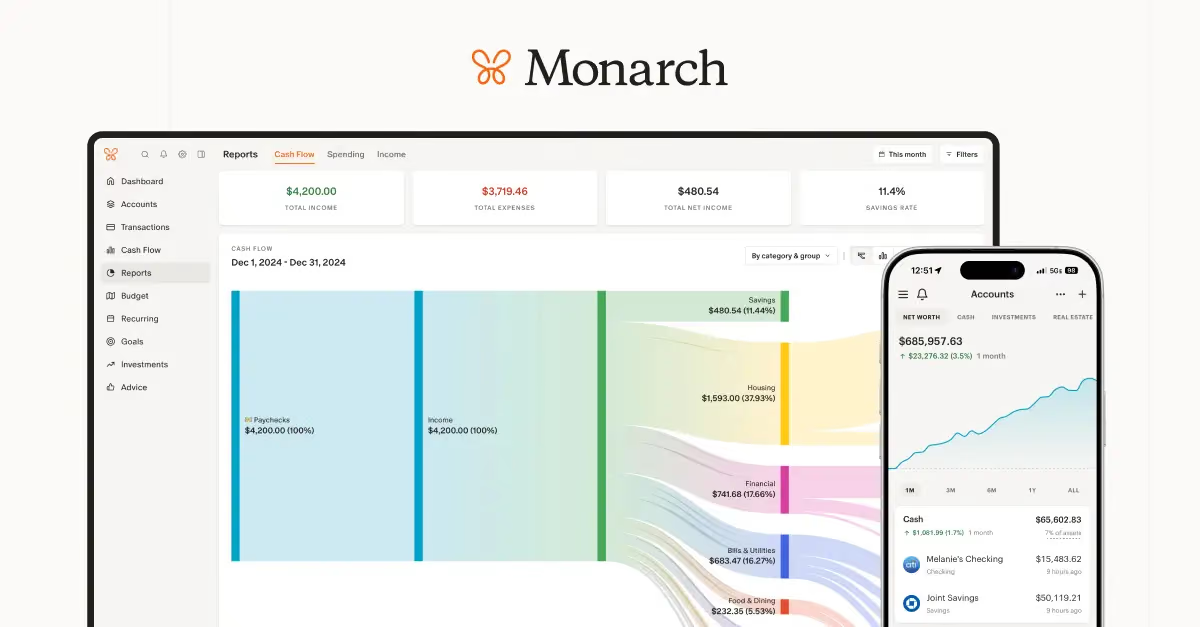
Monarch places the same broad decision inside a dedicated interface. Its budgeting description explains categories and budget views. That may appeal to a household that wants a ready-made screen and a shared process rather than a set of cells to maintain. The app's chosen structure is part of the product: check that its categories and reports answer your questions before committing.
The distinction is not that one approach eliminates work. A feed needs review, a category can be wrong and an unusual purchase may need an explanation. Ask who will check transactions each week and where that person is comfortable doing it. The Monarch review looks more closely at its features, while the YNAB review covers another budgeting approach. The budgeting apps roundup adds alternatives to the shortlist.
What the subscriptions cost
Tiller lists a $99 annual subscription after a 30-day trial; its getting-started guide says the card is not charged until the end of the trial. Monarch's pricing FAQ lists $99.99 annually or $14.99 monthly. On those published annual prices, the difference is 99 cents for a year. Twelve monthly payments of $14.99 would total $179.88, before taxes, assuming the price stays unchanged and no promotion applies. That is a monthly-payment scenario, not Monarch's annual subscription price.
Monarch's website also describes a Plus tier for additional planning and business features. Confirm the exact plan and price at checkout rather than assuming a comparison of the entry annual subscription includes every feature in the higher tier. The Monarch comparison with YNAB and Monarch vs Copilot Money explore other app-based choices.
Tiller needs a Google or Microsoft spreadsheet environment. Verify your own account and any relevant Microsoft licensing requirements; do not assume that Tiller's subscription includes a separate paid office suite. Conversely, do not add an office subscription to the comparison if you already have an appropriate license and would pay for it regardless. The relevant cost is the amount you must actually spend to run the setup you want.
How much spreadsheet control do you need?
Tiller's template gives the user a place to start, but the point of the product is that the data sits in a workbook. A household can build a column for a personal spending category, a formula for an irregular bill, or another view of the same transactions. That flexibility is useful if an existing workbook already reflects how the household thinks about money.
It also creates responsibility. A formula can be overwritten, a copied sheet can contain an older budget and a shared editor can change cells. Before customizing a workbook, keep a clean copy and decide who can edit it. Review how spreadsheet permissions and backups work in the chosen Google or Microsoft account. Those settings are distinct from Tiller's own connection to a financial institution.
Monarch offers categories and budget views inside its application. If the available reports already answer the household's questions, maintaining an extra workbook may add a step rather than help. If the question needs a custom formula or a one-off model, ask what export options exist and whether an external spreadsheet will be needed. Our personal finance tools guide covers a broader set of uses, while Rocket Money vs Monarch compares a different app workflow.
Bank connections and missing transactions
Tiller says it uses Yodlee and Plaid to connect accounts and deliver transactions and balances into spreadsheets. Its help page notes that it currently supports US customers and uses US currency and date formats. A large list of supported institutions is not a guarantee that a particular account will connect or stay connected. Use the trial to check each important account, including the ones used less often.
A connected account also does not guarantee that every transaction is instantly available or categorized correctly. Compare a recent bank statement with what appears in the product, check pending and posted transactions and learn how a reconnect is handled. Tiller says account refresh frequency varies by institution and some connections require attention. Its refresh and fill guide distinguishes getting data from the bank from filling the spreadsheet: Direct Fills in Google Sheets can fill after a refresh, but Excel requires a manual fill through the add-in. Confirm which Google Sheets fill method your workbook uses.
For Monarch, check the vendor's current connection options and support for the accounts you use. If a connection fails during the trial, identify whether the missing account can be entered manually or whether that creates too much upkeep. A budget with an incomplete account picture can still be useful, but the gaps need to be visible to its users. Do not assume connectivity at one bank predicts the experience at another.
Sharing a household budget
A household may need a shared view without giving every participant the same editing authority. Tiller's spreadsheet can be shared using the permissions of Google Sheets or Excel. Those permissions matter: read access, edit access and the ability to share with others can expose different amounts of data. Check the sharing settings on the actual workbook and any connected account before inviting someone.
Monarch's household features are built into its app. Its couples page describes sharing a financial picture with a partner. Confirm the access settings and invitations for the plan you choose, particularly if one person wants to review spending while another manages connections. The best fit is the one each participant will use consistently and understands how to access.
Use a realistic scenario before choosing: an annual insurance bill arrives, a reimbursement is split, or two people disagree about the category for a purchase. Ask how each person would find and correct the transaction. A polished chart is less useful than a process the household can explain and repeat.
Privacy, portability and setup
Both services connect sensitive financial information, but the data moves through different systems. Tiller's workflow puts information in a Google or Microsoft spreadsheet; access to that workbook is controlled by the account and sharing settings as well as the budgeting service. Monarch keeps the workflow in its own app. Read each vendor's privacy and security documentation and the terms of any data provider involved before linking accounts.
Portability is another question to settle in advance. Ask how to export transactions and categories, which files can be retained after canceling and what needs to be recreated elsewhere. A spreadsheet can be copied, but automated updates depend on the service and connection. An app may offer export formats, but a downloaded file is not necessarily an entire replacement for the app's dashboards and rules.
Setup effort differs by household. Gather a list of accounts, recurring bills and categories, then try one month's workflow during the trial. Check whether the trial automatically converts to a paid subscription and how cancellation works. Never enter credentials into a page unless you have verified the provider and the connection flow.
Which should you choose?
Choose Tiller if you already use Google Sheets or Excel and value the ability to shape a workbook around your own categories, formulas and reports. The annual fee is close to Monarch's listed annual price, so choose it for that control rather than a material subscription saving. Check spreadsheet access, bank connectivity and any office software costs.
Choose Monarch if a dedicated app and household collaboration are the priority. Confirm that its categories, reports, account connections and sharing permissions cover the jobs you need. Start with the listed annual or monthly option that suits the intended commitment, and review any Plus features separately.
Neither product guarantees a better financial outcome. Each is a way to organize information; the right one depends on the accounts it can connect and the habits of the people who will use it. For another perspective, read Wealthfront vs Betterment for a different kind of financial app or Monarch vs Copilot Money for a closer budgeting comparison.
How we compared the services
We reviewed the linked vendor pricing, product and help pages on October 28, 2026. The annual subscriptions use the published prices; the monthly-payment scenario multiplies the monthly price by twelve. Toolradar supplied the dated category count. The comparison does not rely on hands-on product testing.
FAQ
Is Tiller cheaper than Monarch?
Tiller lists $99 per year and Monarch lists $99.99 per year for its annual option, a difference of 99 cents before taxes and other software costs. Monarch also lists a monthly subscription.
Does Tiller work in Excel?
Tiller says its subscription works with Google Sheets and Microsoft Excel. Check your spreadsheet account and any applicable software license before starting.
Can a partner see a Tiller budget?
A workbook can be shared through Google or Microsoft spreadsheet permissions. Decide whether the recipient needs view or edit access and review what data the workbook contains first.
Does Monarch offer a free trial?
Its pricing page offers the first week. Check the current signup terms, payment method requirements and cancellation conditions before starting.
Will every bank connect?
Neither a provider's general connection count nor this comparison guarantees support for a particular account. Check each institution during the trial and confirm how to handle a failed connection.
Some offers on this page may be paid placements or contain affiliate links.
Finpresso: daily AI & finance brief
Free daily newsletter, read in 5 minutes.
Subscribe free