
MileIQ Pricing 2026: Free, Unlimited and Teams
MileIQ Free covers 40 classified drives a month. Unlimited is $13.99/mo or $11.66/mo billed annually. Five drivers on the Teams plan cost $45/mo or $450/year.
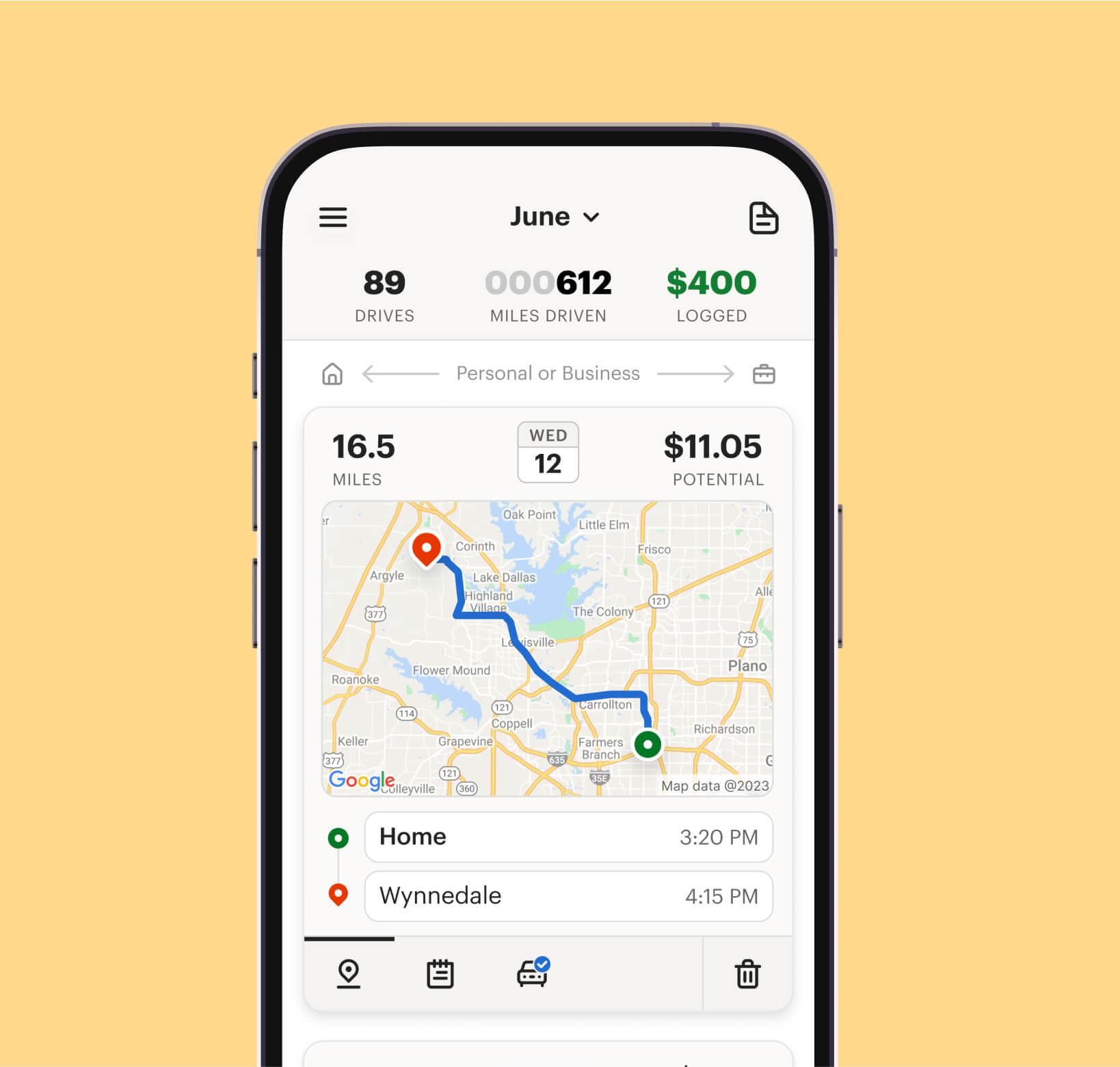
MileIQ's free plan covers 40 classified drives a month, and a solo driver who stays inside that allowance should not pay. Unlimited, for one driver, is $13.99/mo, or $11.66/mo when billed annually. A five-person crew on the middle Teams plan is $45/mo, or $450/year. Those list prices were read on MileIQ's pricing pages on 28 October 2026.
The purchase turns on that free cap, not on the one-dollar gap between team tiers. Five personal logins skip the admin dashboard, drive approval, and the single bill, so they are the wrong product once a second person must sign off.
Toolradar data: Toolradar, the software directory we run, tracked 89 published expense-management tools as of 27 October 2026. That count covers expense software in general, not mileage trackers alone. A light driver can still start on MileIQ at no charge, and this page prices the step after the allowance runs out.
MileIQ plans at a glance
| Plan | Listed price | Who it is for | What turns on |
|---|---|---|---|
| Free | $0 | One driver under the monthly cap | Automatic tracking and reports, for 40 classified drives a month |
| Unlimited, monthly | $13.99/mo | One driver who logs every trip | Unlimited drives, same tracking and reports |
| Unlimited, annual | $11.66/mo, billed annually | One driver staying past a few months | The same Unlimited product, listed as a monthly rate |
| Teams Lite | $8/user/mo, or $80/user/year | A crew that only needs tracking and a roster | Tracking, add or remove drivers, one bill |
| Teams | $9/user/mo, or $90/user/year | A crew that needs a reporting dashboard | Lite, plus the reporting dashboard |
| Teams Pro | $10/user/mo, or $100/user/year | A crew that approves drives and sets rules | Dashboard, approve or reject, commute rules, locations, reminders, several admins, custom rates |
Prices come from MileIQ's individual pricing page and MileIQ for Teams, read on 28 October 2026. The pages list those amounts and do not itemize tax, so the charge at signup can differ. A wider field of mileage apps, with a different job than this price breakdown, is in our best mileage tracker apps ranking.
What happens when you pass the free cap?
Classified drives are what the free plan counts, and it stops showing them once the monthly allowance is used. MileIQ's help center says the free plan can display only the first 40 classified drives in a month. A trip you leave unmarked does not use a slot.
Delete unwanted drives instead of classifying them; otherwise personal errands crowd out the business trips that belong on a report. The counter resets at the start of the next month, so a quiet month does not raise the next allowance.
A realtor with a few client visits, or a founder driving to a job site a few days a week, can stay on Free by classifying only the trips that go on a report. Someone who marks every trip, personal miles included, spends the allowance on drives that never needed a receipt.
Upgrading does not rebuild a whole year of missing trips, which is what waiting until you file costs you. MileIQ's upgrade guide, updated 12 May 2026, restores extra drives from the current month and the previous month only, and older months stay on the cap.
The same help article, updated 14 August 2025, names two other reasons a drive never appears. Trips under 0.5 miles, and sometimes under 1 mile, may not be recorded at all, so a day of short hops can be missing from the report. If work hours are on, drives outside those hours can be filed as personal and hidden in the phone app, though the web dashboard can still show them.
The free plan is an ongoing allowance, not a timed trial, so nothing forces a purchase on a countdown. The individual pricing page shows Free at no charge, with the monthly cap, and it lists no trial for Unlimited. Reports stay on Free for the drives you can see. The unlimited-drives row on that card is marked off, so the paid plan is how you see more trips, not how you get a report.
How much does annual billing change for one driver?
Twelve months on the monthly plan cost $167.88. That figure is the monthly list price multiplied by 12, with no discount and no tax, so it is the bill for staying month to month all year. The annual option is printed as $11.66/mo, not as one yearly charge, and that rate is $2.33 lower than the month-to-month rate. MileIQ does not print the yearly invoice, so confirm the checkout total before you treat the monthly equivalent as the bill.
A driver who knows the log will run all year should take the annual list rate, because the monthly option costs more across those twelve payments. Someone still testing whether they will classify trips every week should stay month to month and leave at the end of a billing period. If the trips you need already fit the free allowance, Unlimited adds a bill and no extra trips. Canceling a subscription bought on the MileIQ website keeps it active until the period ends, then the account returns to Free, according to the cancellation guide updated 30 December 2025.
Where you bought the plan decides where you cancel. A subscription started in the Apple App Store has to be canceled in Apple's subscription list, and MileIQ's support team cannot cancel those. A Google Play purchase is managed in Google Play, or the web dashboard sends you there. Buying inside the app also means the receipt comes from Apple or Google, not only from MileIQ.
What do Teams Lite, Teams and Pro include?
The three team prices sit one dollar apart per user each month, so the feature list, not the dollar, is the decision. Each card on the business pricing page marks features on or off, and the cheaper card is the wrong one if the switch you need is marked off.
Teams Lite is the tracking plan: automatic mileage tracking, adding and removing drivers, and a single bill. It suits a crew that only needs the miles captured and a roster it can change. The reporting dashboard, drive approval, commute exclusion, team locations, report reminders, multiple admins, and custom rates are marked off, so Lite will not reject a drive or pull a commute off the total.
Teams adds the reporting dashboard and nothing else on that checklist. The card calls this tier Lite plus the ability to submit and review reports. Per-drive approval is still marked off, so "review reports" is not that switch, and a firm that needs it has to move to Pro.
Teams Pro turns on drive approval, commute exclusion, team locations, report reminders and automatic reports, several admins, and a custom rate. The Pro card offers a 30-day trial and says no credit card is required. Lite and Teams do not show that line, and their buttons say "Get started," so a card-free test of approvals has to start on Pro.
Commute exclusion deducts each driver's own commute, or a team-wide distance, from drives marked as business plus commute, which leaves that commute unpaid. Team locations are names for places people visit often, so a client site is less likely to sit unmarked. Multiple admins means more than one person can approve reimbursements before payroll, and a custom rate differs from the country's default, so a firm that does not want that default needs Pro.
Admins see business drives submitted on reports, and personal drives stay off that view, so the dashboard is not a map of someone's day. MileIQ says it does not sell driver data, and it does not offer live location tracking. A firm that wants a reimbursement file, without a surveillance tool, is the buyer Pro is built for, and a firm that wants a live dot on a map will not get it here.
What does a five-driver team pay?
Five people on the middle plan is the bill to run before you sign a crew up. Five users on Teams are $45/mo, or $450/year, five times the per-user list price.
| Five users | Monthly billing | Annual billing | Extra if you pay monthly for a year |
|---|---|---|---|
| Teams Lite | $40/mo | $400/year | $80 |
| Teams | $45/mo | $450/year | $90 |
| Teams Pro | $50/mo | $500/year | $100 |
Monthly for a year on Teams is $540 before the annual price is subtracted, which is the five-user gap. A crew that will keep the seats all year pays that gap if it stays monthly. Per user, the annual list price saves $16 on Lite ($96 of monthly bills versus $80), $18 on Teams ($108 versus the yearly seat price), and $20 on Pro ($120 versus $100). Those totals multiply the printed list prices and leave out tax, so the statement can run higher.
Five personal Unlimited subscriptions, billed monthly, would be $69.95/mo. That is more than five Teams seats, and it is still the wrong product to treat as a substitute. Personal Unlimited has no shared dashboard, no approve-or-reject step, no commute rule, and no single team bill. Five solo accounts mean five separate logs and no admin review, so payroll still collects the miles by hand.
The per-user annual prices on the team page are yearly amounts, not a rounded monthly equivalent, so the yearly column is the invoice the page actually prints. Individual Unlimited shows the annual option only as a monthly rate, and the yearly total is not printed. Finpresso's daily brief follows mileage and expense software prices, reimbursements, and the close. Subscribe here.
How does MileIQ's price compare with Everlance?
Everlance is the closest solo alternative with a public price list and a free cap of its own, useful if you drive alone and might type some trips by hand. Its plan guide, updated 11 August 2026, lists Starter at $10.99/mo or $89.99/year, and Professional at $19.99/mo or $119.99/year. Those same figures sit on the plan cards at the top of Everlance's pricing page.
| Plan | Price | Automatic trips | Trial |
|---|---|---|---|
| MileIQ Free | $0 | The classified-drive cap | None. Free is the ongoing plan |
| MileIQ Unlimited | $13.99/mo, or billed annually at a lower monthly rate | No classified-drive cap | No trial listed on the individual page |
| Everlance Basic | $0 | 30 automatic trips a month, unlimited manual trips | No card required to stay on Basic |
| Everlance Starter | $10.99/mo or $89.99/year | Unlimited automatic trips | 7 days, credit card required |
| Everlance Professional | $19.99/mo or $119.99/year | Unlimited automatic trips, plus expenses and tax filing | Card required, then the plan you picked is charged |
Starter undercuts Unlimited on the monthly sticker, and Basic can outlast MileIQ's free plan if you type the overflow. Everlance Basic includes 30 automatic trips and unlimited trips entered by hand, plus receipt uploads and CSV export, according to the plan guide. MileIQ Free stops at classified drives and does not offer unlimited manual entry as the way around the cap. A driver who wants every trip captured without typing hits a paid plan on both, and Starter's list price is the lower one.
The trials are not free in the same way, which is what a solo driver should budget. Everlance lets new users try Starter for 7 days with a card required, charges that card when the trial ends unless you cancel, and sends an email two days before. MileIQ's Teams Pro trial is the one that says no card, and the personal page lists no trial for Unlimited. Check with MileIQ before relying on a trial for a solo paid account.
Everlance also sells a tax bundle that personal MileIQ does not, which matters if you wanted one app to finish the return. Professional adds card and bank sync, an AI deduction finder on iOS, 1099 filing, and what Everlance calls a $1 million audit defense. MileIQ's individual plans are mileage tracking and reports, not a tax-prep bundle. If the log is one input to a return you file elsewhere, our best tax software for the self-employed and the Keeper Tax review cover that job.
Everlance's guide for couples says an account is for one person and is not meant to be signed in on two phones, so each driver needs a separate seat. That is also why a MileIQ team plan exists. For a ledger that may already include a mileage screen, see the QuickBooks Self-Employed review and the QuickBooks Solopreneur review, which are bookkeeping products, not a per-drive team console.
When is the free plan enough?
Stay on Free if a normal month has fewer business drives than the cap, after you leave personal trips unclassified. Paying before that point buys trips the free plan already shows. Pay for Unlimited if you classify more than that, or if a missed month of drives would cost more than the subscription at tax time. Move to a team plan when a second person has to approve what the first person drove, because a second personal login cannot do that approval.
Lite fits a crew that only wants miles captured and a roster, while Teams adds the dashboard without per-drive approval. Pro is the plan when commute miles, extra admins, or a non-default rate are the point, because those switches are marked off on the cheaper cards.
A light user who buys Unlimited on day one overpays for drives the free plan would have shown. A five-driver firm on five free personal accounts loses drives past each cap and has no shared report for payroll. Parking, tolls, and vendor slips are a separate job, covered in the best receipt scanner apps ranking.
Card spend at company scale is a different shortlist: Ramp review, the best AI tools for expense management, plus Expensify and Zoho Expense. If the miles must reach the books, start with how to do bookkeeping for a small business, because a tracker that never hits the ledger does not change the return.
What to watch before you pay
- The annual personal price is a monthly rate, so confirm the checkout total before you treat that monthly equivalent as the yearly invoice.
- Unclassified drives are the pressure valve on Free, and marking personal trips as well as business ones uses the allowance faster.
- An upgrade restores two months, not the year, so the current month and the one before come back, and anything older stays missing if you wait to file.
- Short trips can vanish before they count: under half a mile, and sometimes under a mile, the drive may never be logged, even under the cap.
- Apple and Google bill on their own, so cancel in the store where you subscribed, while a web purchase is canceled in the MileIQ dashboard and runs to the end of the period.
- Lite will not approve drives, and that control, commute exclusion, and a custom rate sit on Pro, where the gap between tiers is smaller than the missing switch.
- Team prices are per user, so five people are five charges, and a sixth driver adds another seat rather than splitting the bill.
- Tax is not on the price card, so the amount on the statement can be higher than the list price once tax is added.
How we checked
Individual prices, the free cap, and the Unlimited feature marks come from MileIQ's pricing page, read on 28 October 2026. Team prices and the on-or-off feature marks come from the Teams pricing page the same day. What happens at the cap, including drives that are too short to log, comes from MileIQ's help article on missing drives, updated 14 August 2025. The two-month restore window comes from the upgrade guide, updated 12 May 2026. Cancellation rules come from the cancellation guide, updated 30 December 2025. Everlance's Starter and Professional prices come from its plan guide, updated 11 August 2026, and match the plan cards at the top of its pricing page, also read on 28 October 2026. Five-driver totals and the $167.88 yearly run of monthly Unlimited are multiplication of those list prices, with no promo and no tax.
The expense-category count is from Toolradar's expense management statistics, computed from the catalog as of 27 October 2026: 89 published expense-management tools. Prices change. Confirm the current figure in checkout before you subscribe.
This page is general information, not personalized financial advice. Confirm plan terms, what a drive must include, and the final charge with MileIQ or Everlance before you rely on them.
Cite this: Finpresso, "MileIQ Pricing 2026: Free, Unlimited and Teams", October 2026.
FAQ
How much does MileIQ cost in 2026?
Free costs nothing and covers 40 classified drives a month, which is the allowance a light driver should stay inside. Unlimited is $13.99/mo, or $11.66/mo billed annually, and that annual figure is a monthly rate rather than a printed yearly invoice. Teams Lite is $8/user/mo or $80/user/year, Teams is $9/user/mo or $90/user/year, and Teams Pro is $10/user/mo or $100/user/year. Five users on Teams come to $45/mo or $450/year before tax.
Is MileIQ free?
Yes, up to the classified-drive cap, and that plan keeps automatic tracking and reports for the drives it still shows. It does not include unlimited drives, and it is an ongoing plan rather than a countdown trial. The individual page lists no Unlimited trial; Teams Pro offers a 30-day trial without a credit card. Check availability directly before signing up.
What happens when a free account passes the monthly cap?
You can view only the classified drives that fit inside that month's allowance, and anything past it stays off the report. Unclassified drives do not count, so MileIQ advises deleting unwanted drives instead of classifying them, or personal errands crowd out client visits. The counter resets at the start of the next month, and an upgrade restores extra drives from the current month and the previous month only, so earlier months stay on the cap.
Is MileIQ cheaper billed annually?
For one driver, the annual option is a lower monthly rate than the month-to-month plan, and the pricing page does not print a yearly total, so confirm checkout. Twelve monthly payments are $167.88, which is the no-discount run of the monthly list price. For teams, five seats on the middle plan cost $540 if you pay monthly all year, and the annual list price for those seats is lower. The team page prints that annual price as a per-user yearly amount, unlike the personal plan, which shows annual billing only as a monthly rate.
What is the difference between Teams Lite, Teams, and Pro?
Lite tracks miles, lets you add or remove drivers, and bills the group once, which is enough when nobody has to approve a drive. Teams adds the reporting dashboard, and per-drive approval stays off, so a manager can read reports without rejecting one. Pro adds drive approval, commute exclusion, saved locations, report reminders, more than one admin, and a custom reimbursement rate. Personal drives are not shown to admins, and MileIQ does not offer live driver tracking, so it will not serve a firm that wants a live map of the workday.
Does Everlance cost less than MileIQ?
On the monthly sticker, Everlance Starter at $10.99/mo is less than Unlimited, which is the comparison for a solo driver who wants every trip captured without typing. Starter is also $89.99/year, and Professional is $19.99/mo or $119.99/year, from Everlance's plan guide updated 11 August 2026. Basic is free for 30 automatic trips a month and unlimited manual trips, so typing the overflow can keep you off a paid plan longer. The Starter trial lasts 7 days and requires a credit card, which is then charged unless you cancel.
Is MileIQ worth it for a small business?
It is worth a team plan when more than one person drives and someone has to approve the log, because that switch does not exist on a personal account. Five users on Teams cost less on the printed yearly rate than on twelve monthly bills, and Pro is $500/year for the same headcount if you need approvals and a custom rate. Five personal Unlimited accounts cost more on the monthly rate and leave out the admin tools. A solo driver under the free cap does not need a paid plan at all.
The daily brief at finpresso.com covers reimbursements, the close, and the software finance teams actually pay for.
Some offers on this page may be paid placements or contain affiliate links.
Finpresso: daily AI & finance brief
Free daily newsletter, read in 5 minutes.
Subscribe free