
Bonsai Review 2026: Is It Still Worth It for Freelancers?
Bonsai's four per-user plans, its card, ACH and FX fees, and the yearly bill against Moxie, HoneyBook, Dubsado and FreshBooks.

Bonsai is worth it in 2026 for a freelancer who buys Essentials, the first plan that sends invoices, at $19 per user a month billed yearly or $25 monthly. Basic at $9 yearly or $15 monthly tracks time and projects but cannot bill a client, so it is the wrong plan for anyone who needs to get paid through the app.
Premium adds the QuickBooks and Xero sync your accountant will want, and Elite is an agency plan that needs 3 seats. On a busy year the card processing fees outrun the subscription, so how your clients pay matters as much as the plan you pick. Moxie is the cheaper all-in-one, HoneyBook and Dubsado suit client-heavy service businesses, and FreshBooks is the pick when you want real bookkeeping. Prices verified on each vendor's pricing page on 17 October 2026.
Key factsBest for: Freelancers and small agencies who sell by proposal and…
- Proposals, contracts, time tracking and invoicing in one per-user account, with accounting sync from Premium.
- Invoicing starts on: Essentials, not Basic
- Solo invoicing cost: $228 a year on Essentials, billed yearly
- Trial: 7 days, full access
- Smallest Elite account: 3 users, billed per seat
Pros
- Essentials bundles invoices, proposals, contracts, forms and a client portal, so a solo freelancer needs one subscription.
- Time tracking, unlimited projects and unlimited clients are on every plan, with no client cap.
- Prepaying a year cuts the per-user price on every tier, and Bonsai labels it up to 4 months free.
Cons
- Basic has no invoicing, so the advertised entry price is not the price of billing a client.
- The QuickBooks and Xero sync waits for Premium, and Elite needs 3 seats.
- The trial lasts 7 days, short for testing a full proposal to payment cycle.
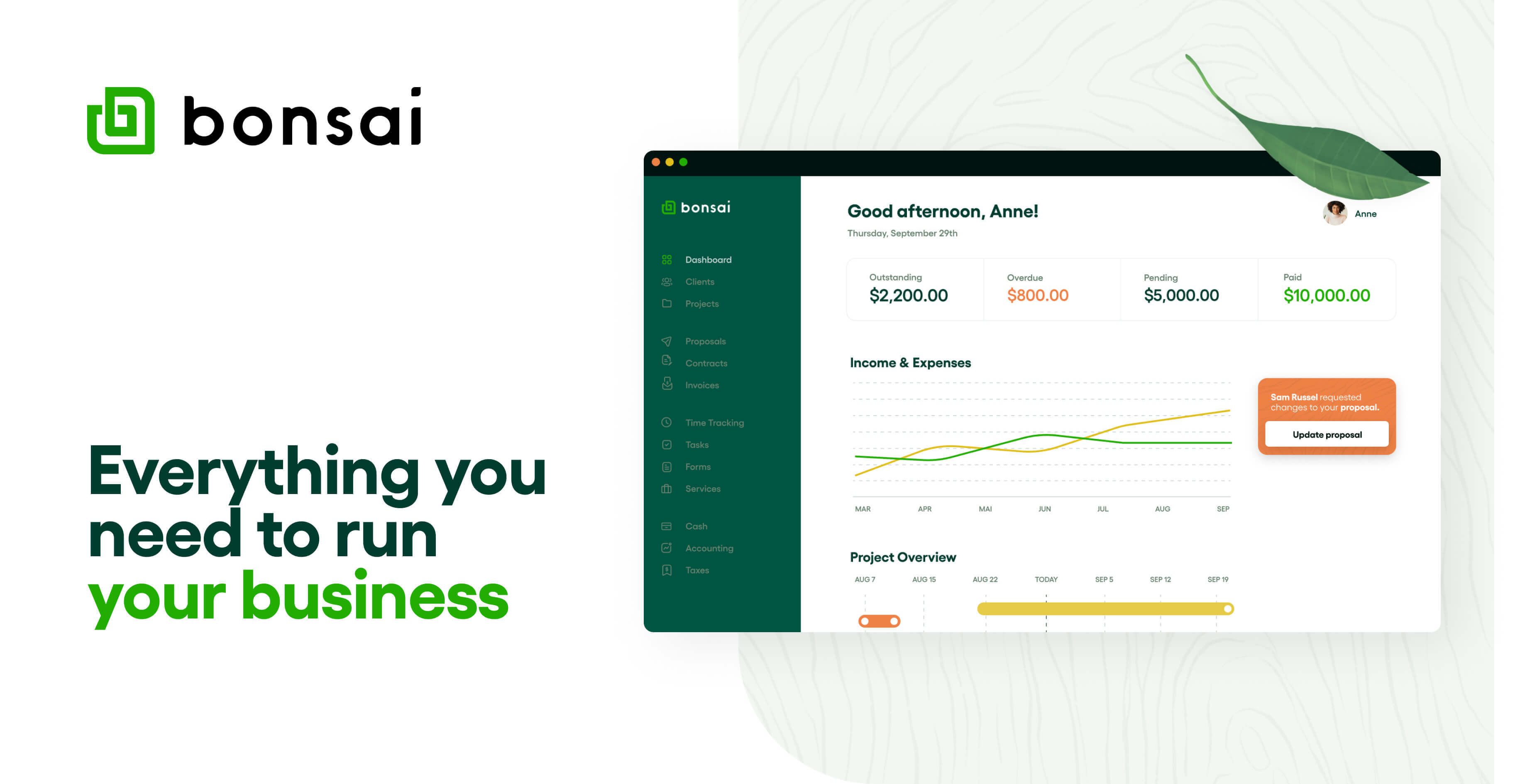
The plan name is the trap: Bonsai's cheapest seat is a time tracker, and the invoice button lives one tier up. A freelancer who sees the low entry price in an ad and signs up for Basic will find no invoices, no proposals and no contracts, which are the three reasons most people shop for Bonsai in the first place. Budget Essentials as the real entry price and the product makes sense.
Toolradar data: the invoicing ranking on Toolradar, the software directory we run, evaluated 229 invoicing tools as of 15 October 2026, and Bonsai competes there with all-in-one rivals such as Moxie and HoneyBook. For a wider shortlist, read our invoicing software for freelancers roundup, which ranks Bonsai among nine tools.
Methodology: we read Bonsai's pricing page, its help article on payment fees, and the pricing pages of Moxie, HoneyBook, Dubsado and FreshBooks on 17 October 2026, then multiplied the published prices into yearly scenarios. Dupple runs no test lab, so every figure below comes from those vendor pages, not from hands-on use.
What is Bonsai?
Bonsai is client and project software for freelancers and small agencies: CRM, proposals, contracts, time tracking, invoicing and payments in one account. The footer now reads "Bonsai, a Zoom company", and money movement runs through Stripe with funds held at partner banks, so Bonsai is the software layer rather than the bank.
Every plan is priced per user, which matters the day a subcontractor needs a login. Basic covers time tracking, task management, unlimited projects and clients, the CRM, a service library and the mobile apps, with 10 GB of storage. Essentials adds invoices and payments, proposals and contracts, all templates, forms, one scheduling event type, a client portal, and expense and income tracking, with 100 GB.
Premium adds Gantt and workload views, a deals pipeline, custom fields, client messaging, profit and productivity reports, branding removal and the integrations: QuickBooks, Xero, Zapier, Calendly and Google. Elite adds custom permissions, timesheet locking, markups on expenses and custom data import, and requires 3 users. Bonsai also offers an MCP connector that lets Claude, ChatGPT or Gemini update a client, create a project or draft an invoice, which is a useful shortcut for anyone already running work through an AI assistant.
How Bonsai works
You sign up and get 7 days of full access, then Bonsai asks for a card and a plan. A week is short for a billing tool, since most freelancers will not send and collect a real invoice inside that window, so set up one live client on day one to see the payment flow before the trial ends.
A typical job runs proposal, contract, invoice, payment. The proposal and contract are signed in the client portal, time entries and expenses can be attached to the invoice, and retainer and subscription invoices handle recurring work. Multi-currency billing is supported, which matters for freelancers with clients abroad because the FX fee applies when a client pays internationally.
Bookkeeping is light. Essentials tracks income and expenses and offers bank sync for expenses, but the double-entry ledger an accountant closes lives in QuickBooks or Xero, and that sync starts on Premium. If your accountant expects a clean ledger at tax time, either budget Premium or keep a separate accounting tool, such as the options in our free accounting software guide.
Bonsai key features
Bonsai pricing
Budget Essentials, not Basic. For one freelancer, Essentials billed yearly is $228 a year and monthly billing is $300, so prepaying saves $72. Basic billed yearly is $108, but it cannot send an invoice, so that saving buys a time tracker. Premium for one person is $348 a year prepaid and $468 month to month. Prices come from Bonsai's pricing page, read on 17 October 2026.
Seats multiply fast. Elite needs 3 users, so the smallest Elite account is $1,764 a year prepaid, or $177 a month on monthly billing. A two-person studio on Essentials pays $456 a year prepaid. Bonsai advertises a reduced rate for teams of 30 or more, without a published figure.
Processing fees are the bigger bill. Bonsai's payment fee article lists 2.9% + $0.30 for cards, 3.25% + $0.30 for American Express, and 1% for ACH with a $1 minimum. A $2,000 invoice paid by card costs $58.30, by Amex $65.30, and by ACH $20. Instant payouts add 1.5%, and a client paying from abroad adds a 2.5% FX fee, another $50 on that invoice.
Our scenario: a freelancer sending 24 invoices of $2,000 a year, all by card, pays $1,399.20 in card fees against $228 for the software. Moving those clients to ACH cuts the fees to $480. In a US, UK, Canadian or Australian account, routing payments through Stripe or PayPal adds a 1% platform fee on top, so keep Bonsai Payments switched on unless you have a reason not to.
Rival prices come from Moxie, HoneyBook, Dubsado and FreshBooks pricing pages, read the same day. For a solo freelancer, Moxie Starter is the cheapest at $120 a year, Dubsado Starter is $335 a year and HoneyBook Starter comes to $348 a year prepaid. FreshBooks Lite is $23 a month but caps you at 5 clients.
| Plan | Price | Best for |
|---|---|---|
| Bonsai Basic | $15/user/mo, or $9 billed yearly | Time tracking, tasks, CRM, unlimited projects and clients, 10 GB. No invoicing |
| Bonsai Essentials | $25/user/mo, or $19 billed yearly | Adds invoices, payments, proposals, contracts, forms, client portal, 100 GB |
| Bonsai Premium | $39/user/mo, or $29 billed yearly | Adds Gantt, pipeline, reports, branding removal, QuickBooks and Xero sync, 500 GB |
| Bonsai Elite | $59/user/mo, or $49 billed yearly | Adds custom permissions, timesheet locking, expense markup. 3 users minimum |
| Bonsai card payments | 2.9% + $0.30 | Visa, Mastercard, Discover and other cards through Bonsai Payments |
| Bonsai American Express | 3.25% + $0.30 | Amex cards through Bonsai Payments |
| Bonsai ACH | 1% ($1 minimum) | US bank transfer through Bonsai Payments |
| Bonsai extra charges | 1.5% instant payout, 2.5% FX | Faster payout, and international client payments |
| Moxie Starter | $12/mo, or $10 billed yearly | Invoicing, proposals, contracts, time tracking, basic accounting |
| Moxie Pro | $25/mo, or $20 billed yearly | White-label portal, automations, QuickBooks integration |
| Moxie Teams | $40/mo, or $32 billed yearly | Up to five team members, unlimited project collaborators |
| HoneyBook Starter | $29/mo billed yearly | Invoices, proposals, contracts, client portal, 2 live lead forms |
| HoneyBook Essentials | $49/mo billed yearly | Scheduler, automations, QuickBooks Online, up to 2 team members |
| HoneyBook Premium | $109/mo billed yearly | Unlimited team members, priority support, multiple companies |
| Dubsado Starter | $335/yr | Invoicing, payment plans, client portals, 1 lead capture form |
| Dubsado Premier | $525/yr | Adds scheduling, workflows, Zapier, bookkeeping integration |
| FreshBooks Lite | $23/mo | Invoices for up to 5 clients, expenses, estimates |
| FreshBooks Plus | $43/mo | Up to 50 billable clients |
| FreshBooks Premium | $70/mo | Unlimited billable clients |
Bonsai pros and cons
What we like
- Essentials bundles invoices, proposals, contracts, forms and a client portal, so a solo freelancer needs one subscription.
- Time tracking, unlimited projects and unlimited clients are on every plan, with no client cap.
- Prepaying a year cuts the per-user price on every tier, and Bonsai labels it up to 4 months free.
What could be better
- Basic has no invoicing, so the advertised entry price is not the price of billing a client.
- The QuickBooks and Xero sync waits for Premium, and Elite needs 3 seats.
- The trial lasts 7 days, short for testing a full proposal to payment cycle.
Who Bonsai is for
Bonsai fits a solo consultant, designer or developer who sells by proposal and contract and wants the whole client trail, from signature to payment, in one account. It also fits a small agency that needs time tracking and profitability reports, as long as everyone with a login is worth a per-user seat.
Skip Basic if you invoice, and skip Bonsai entirely if you want a full ledger in one tool, because the double-entry books sit in QuickBooks or Xero. The FreshBooks review and the Wave review cover that case, and the QuickBooks Solopreneur review covers the self-employed tax side.
Skip it too if your clients pay mostly by card and price is tight: the processing fees are standard, but nothing on the plan offsets them. For bank-transfer heavy billing, read our business bank account guide. Subscribe to Finpresso for the next freelancer pricing change in your inbox.
Best Bonsai alternatives
If Bonsai is not the right fit, these are the closest options.
| Tool | Best for | Starts at | |
|---|---|---|---|
| Bonsai | Freelancers and small agencies who sell by proposal and contract and bill hourly or by retainer. | From $9/user/mo billed yearly (Basic) | Visit → |
| Moxie | Solo freelancers who want invoices, proposals and contracts on the cheapest all-in-one plan. | From $10/mo billed yearly ($120/yr) or $12 monthly | Visit → |
| HoneyBook | Client-facing service businesses, such as photographers and planners, in the US, Canada, UK or Australia. | From $29/mo billed yearly (Starter) | Visit → |
| Dubsado | Small teams that want workflows and client portals with three extra users included. | Starter $335/yr | Visit → |
| FreshBooks | Freelancers who need invoicing tied to real bookkeeping more than proposals and contracts. | From $23/mo (Lite, 5 clients) | Visit → |
The bottom line
Buy Bonsai Essentials, billed yearly, if you sell by proposal and contract and want one place for the client trail. It is cheaper than HoneyBook and Dubsado for one person, and the per-user model only hurts once you add seats. Move to Premium when your accountant needs the QuickBooks or Xero sync, and treat Elite as an agency plan.
Pick Moxie if the lowest yearly bill matters most, Dubsado if three teammates need logins, and FreshBooks if bookkeeping matters more than contracts. Our free invoice generator list and AI invoicing guide cover the cheaper end, and FreshBooks pricing explained breaks down the ledger option.
Cite this: Finpresso, "Bonsai Review 2026: Is It Still Worth It for Freelancers?", October 2026.
Frequently asked questions
Is Bonsai worth it in 2026?
How much does Bonsai cost?
Does Bonsai have a free plan or a free trial?
Can I send invoices on Bonsai Basic?
What are cheaper alternatives to Bonsai?
Sources
Prices and plan details come from each vendor's own pricing page, re-checked by the Toolradar pricing tracker.
- FreshBooks pricingchecked Sep 2026
Some offers on this page may be paid placements or contain affiliate links.
Get the Finpresso brief
Free daily newsletter, read in 5 minutes.
Subscribe free