
Moxie Review 2026: Is It Worth It for Freelancers?
Moxie's Starter, Pro and Teams prices on yearly and monthly billing, how client payments work, and the yearly bill against Bonsai, HoneyBook, Dubsado and Plutio.

Moxie is worth it in 2026 for a solo freelancer who wants invoicing, proposals and contracts on the cheapest plan: Starter costs $120 a year billed yearly or $12 month to month, and it already sends invoices. Bonsai's cheapest plan that can bill a client, Essentials, costs $19 per user a month billed yearly, so one person pays $228 a year there, almost twice Moxie's bill.
Pay for Moxie Pro ($20 a month yearly) when you need the QuickBooks sync, a white-label portal or automations, and Teams when up to five people need full logins. Pick Bonsai if you want its built-in payments and agency reporting, HoneyBook or Dubsado if you run a booking-heavy service business. Prices read on each vendor's pricing page on 9 November 2026.
Key factsBest for: Solo freelancers and studios of up to five who want the…
- Proposals, contracts, invoices, time tracking and basic accounting on a flat-priced plan, with payments through your own Stripe or PayPal.
- Cheapest plan that invoices: Starter, the entry plan
- Monthly vs yearly billing: Monthly costs 20% to 25% more
- Free trial: 14 days
- Team members on Teams: Up to five on one flat price
Pros
- Starter already sends invoices and contracts, so one entry subscription covers the whole client trail.
- Teams covers up to five team members on one price instead of per seat.
- Card fees can be passed to the client, split, or absorbed, set per client or invoice.
Cons
- The QuickBooks integration, automations and API access need Pro.
- Moxie does not process payments itself, so card rates and disputes sit with Stripe or PayPal.
- Extra Moxie Assistant seats for teammates are a paid add-on.
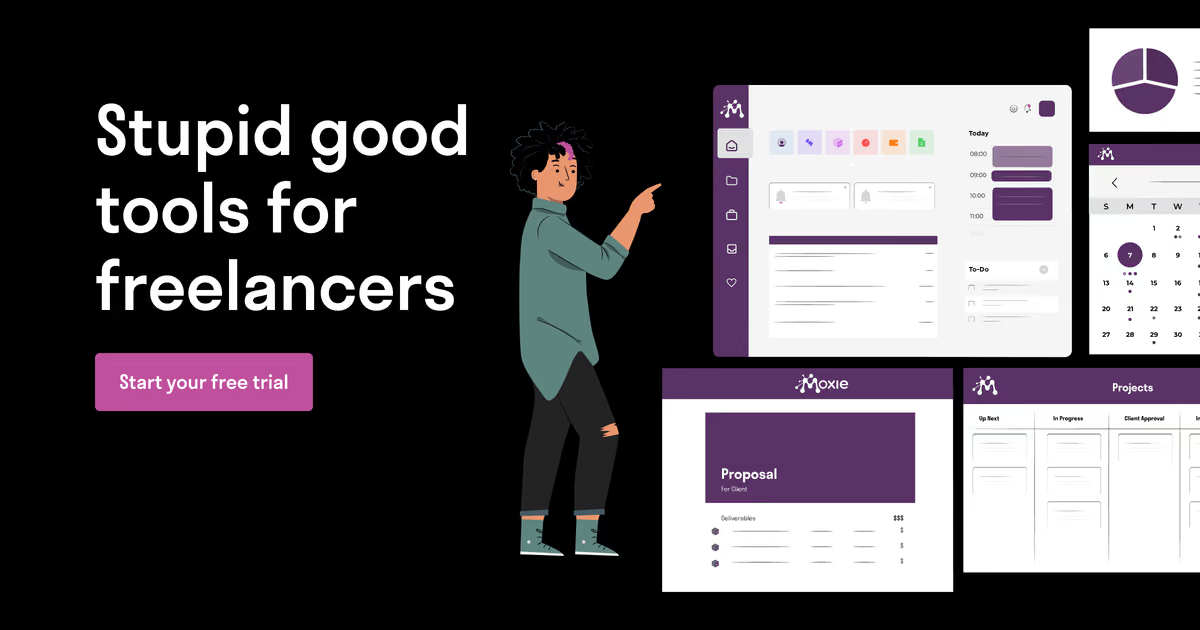
Moxie wins on price, not on breadth. Its entry plan carries the same client trail that rivals sell one tier up: proposals, contracts, invoices, time tracking and basic accounting. What you give up is depth at the top end, such as the deep reporting Bonsai keeps for its Premium and Elite seats, and payment processing that Moxie does not run itself.
Toolradar data: Toolradar's invoicing ranking, run by the same team as Finpresso, tracks 251 invoicing tools as of 9 November 2026, and the median cheapest paid plan among the 110 that publish one is $29.50 a month. Moxie Starter sits far below that line even on monthly billing. You can compare its listing with Bonsai and HoneyBook on Toolradar's Moxie page.
Methodology: we read Moxie's pricing page and its help center articles on payments, billing and team access, plus the pricing pages of Bonsai, HoneyBook, Dubsado and Plutio, all on 9 November 2026. Yearly totals below are our arithmetic on those printed prices. Dupple runs no test lab, so nothing here comes from hands-on use.
What is Moxie?
Moxie is a business app for freelancers and very small agencies: client records, projects, time tracking, proposals and contracts, invoices, a sales pipeline, forms, meeting schedulers and a shared calendar and inbox. Its own pitch names fractional executives, coaches, designers, developers, marketers and virtual assistants as the audience.
The plan structure is flat, not per seat. Starter is for one person. Pro adds a custom domain, a fully white-labeled client portal, support ticketing, workflow automations, a Communicator phone line in the US, Canada or the UK, API access through Zapier, Make, webhooks and a public API, and the QuickBooks integration. Teams adds up to five team members and a second phone line.
The help center also documents Xero and FreeAgent connections, an MCP server that lets AI assistants work inside the workspace, and a Moxie Assistant that drafts content and creates projects, invoices and forms. Extra Assistant seats for teammates are sold as an add-on in the billing settings, so budget for them if several people will use the AI features.
How Moxie works
Sign-up starts a 14-day free trial, twice as long as Bonsai's 7 days. That is enough time to send one real proposal, get it signed and invoice a deposit, which is the test that matters for a billing tool.
Payments run through your own Stripe or PayPal Business account, connected in Settings. Stripe can show cards, Apple Pay and Google Pay on an invoice, and ACH bank payments for USD invoices to US bank accounts. Because the processor is your account, the card rate is whatever Stripe or PayPal charges you, and the payout lands in that account rather than in a Moxie wallet.
You can pass card fees to the client. Moxie lets you set, per workspace, client or invoice, whether the client pays the fee, splits it or pays nothing extra. In Moxie's own worked example, a $1,000 invoice at a 2.9% rate is charged $1,029.87 so you net the full amount. Card surcharge rules differ by state and card network, and Moxie itself tells users to check with their own counsel before switching it on.
Bookkeeping stays light. Starter tracks income and expenses, imports bank expenses through Plaid and runs a money in and out report, but it is not a double-entry ledger. If your accountant closes your books in QuickBooks, plan for Pro from the start.
Moxie key features
Moxie pricing
Starter is the real entry price, and it invoices. Moxie charges $10 a month on yearly billing, paid up front, or a higher rate month to month with no commitment. Pro is $20 a month yearly ($240 charged annually) or $25 monthly, and Teams is $32 a month yearly, printed as $385 charged annually, or $40 monthly. Prices come from Moxie's pricing page, read on 9 November 2026.
Monthly billing costs 20% to 25% more, in our arithmetic. Twelve months of Starter at $12 is $144, $24 more than prepaying. On Pro the gap is $60 a year ($300 against $240). Moxie's FAQ says you can cancel anytime, and a cancelled Pro or Teams plan stays active until the end of its billing cycle, so weigh the yearly saving against paying for twelve months at once.
Solo scenario, yearly billing: Moxie Starter at $120 a year beats Bonsai Essentials at $228, Dubsado Starter at $335 and HoneyBook Starter at $348. Like for like on monthly billing, Moxie is $144 a year against $300 for Bonsai, $420 for Dubsado and $432 for HoneyBook. Plutio Core, the other cheap all-in-one, comes to $228 a year on monthly billing, with a cap of 9 active clients. Rival prices come from Bonsai, HoneyBook, Dubsado and Plutio pricing pages, read the same day.
With accounting sync: if your accountant needs QuickBooks, Moxie Pro at $240 a year compares with Bonsai Premium at $348 per user, Dubsado Premier at $525 and HoneyBook Essentials at $588, all on yearly billing.
Team scenario: three people on Moxie Teams pay the same $385 a year as five. On Bonsai Essentials, three seats cost $684 a year and five cost $1,140, because every login is a seat. Dubsado Starter stays at $335 for up to three extra users, so it is the one rival that beats Moxie for a three-person crew that does not need Moxie's project tools.
Payment fees are the other bill. Moxie adds Stripe or PayPal at your account's rate; HoneyBook prints card fees from 2.9% + 25 cents and a 1.5% bank transfer fee on its own processor, and Bonsai runs its own payments with fees that vary by method (check the current rates on Bonsai's site). For a freelancer billing $50,000 a year, a percentage point on processing is $500, more than any plan here, so steer clients to bank payment where you can.
| Plan | Price | Best for |
|---|---|---|
| Moxie Starter | $12/mo, or $10/mo billed yearly ($120/yr) | Invoicing and payments, proposals, contracts, time tracking, pipeline, basic accounting, forms, schedulers |
| Moxie Pro | $25/mo, or $20/mo billed yearly ($240/yr) | Adds custom domain, white-label portal, ticketing, automations, phone line, API, QuickBooks |
| Moxie Teams | $40/mo, or $32/mo billed yearly ($385/yr) | Adds up to five team members and a second Communicator phone line |
| Moxie client payments | Your Stripe or PayPal rate | Cards, Apple Pay, Google Pay and US ACH via Stripe; optional pass-through of card fees |
| Bonsai Basic | $15/user/mo, or $9 billed yearly | Time tracking, tasks, CRM, unlimited projects and clients; no invoicing |
| Bonsai Essentials | $25/user/mo, or $19 billed yearly | Adds invoices, payments, proposals, contracts, forms, client portal |
| Bonsai Premium | $39/user/mo, or $29 billed yearly | Adds Gantt, pipeline, reports, QuickBooks and Xero sync |
| Bonsai Elite | $59/user/mo, or $49 billed yearly | Adds custom permissions and timesheet locking; 3 users minimum |
| HoneyBook Starter | $36/mo, or $29/mo billed yearly | Unlimited clients and projects, invoices, proposals, contracts, client portal, 2 lead forms |
| HoneyBook Essentials | $59/mo, or $49/mo billed yearly | Adds scheduler, automations, QuickBooks Online, up to 2 team members |
| HoneyBook Premium | $129/mo, or $109/mo billed yearly | Unlimited team members, priority support, multiple companies |
| HoneyBook payments | Cards from 2.9% + 25 cents; ACH 1.5% | Processing on HoneyBook's own payments; instant deposit 1% where eligible |
| Dubsado Starter | $35/mo, or $335/yr | Unlimited projects and clients, invoicing, payment plans, client portals, 1 lead form |
| Dubsado Premier | $55/mo, or $525/yr | Adds scheduling, workflows, public proposals, Zapier, bookkeeping integration |
| Plutio Core | $19/mo | All core features, 9 active clients, no contributors, 500 AI credits |
| Plutio Pro | $49/mo | Unlimited active clients, 30 contributors, 2,500 AI credits |
Moxie pros and cons
What we like
- Starter already sends invoices and contracts, so one entry subscription covers the whole client trail.
- Teams covers up to five team members on one price instead of per seat.
- Card fees can be passed to the client, split, or absorbed, set per client or invoice.
What could be better
- The QuickBooks integration, automations and API access need Pro.
- Moxie does not process payments itself, so card rates and disputes sit with Stripe or PayPal.
- Extra Moxie Assistant seats for teammates are a paid add-on.
Who Moxie is for
Moxie fits a solo consultant, designer, coach or developer who bills a handful of retainers or projects and wants proposal, contract, invoice and time log in one place for the lowest yearly price in this group. It also fits a two to five person studio that would pay per seat elsewhere, since Teams is one flat price.
Skip it if you want the software company to also be your payment processor, with one support desk for disputes: Bonsai and HoneyBook run payments in-house, while Moxie hands that job to Stripe or PayPal. Skip it too if you need a sixth full team member, which leaves the published plans. Our Bonsai review, HoneyBook review and Dubsado review cover those cases in depth.
If what you need is a ledger and tax prep rather than proposals, look at the FreshBooks review or the QuickBooks Solopreneur review instead. Subscribe to Finpresso to hear when freelancer software prices move.
Best Moxie alternatives
If Moxie is not the right fit, these are the closest options.
| Tool | Best for | Starts at | |
|---|---|---|---|
| Moxie | Solo freelancers and studios of up to five who want the cheapest all-in-one that already invoices. | Starter $10/mo on the annual plan · Pro $20/mo on the annual plan · Te | Visit → |
| Bonsai | Freelancers and agencies who want payments, profitability reports and per-user access in one account. | Basic $15/mo per user · Essentials $25/mo per user · Premium $39/mo pe | Visit → |
| HoneyBook | Booking-heavy service businesses such as photographers, planners and coaches who sell packages. | Starter $29/mo on the annual plan · Essentials $49/mo on the annual pl | Visit → |
| Dubsado | Small teams that want workflow automation and client portals with three extra users included. | Starter Plan $27.92/mo on the annual plan · Premier Plan $43.75/mo on | Visit → |
| Plutio | Freelancers who want project boards, AI credits and an API on one plan with few active clients. | Core $19/mo · Pro $49/mo · Max $199/mo | Visit → |


The bottom line
Buy Moxie Starter on yearly billing if you are a solo freelancer who needs proposals, contracts and invoices and does not need an in-house payment processor. It is the cheapest plan in this group that actually bills clients. Move to Pro when your accountant wants the QuickBooks sync, and to Teams when a second person needs a full login.
Pick Bonsai for agency reporting and built-in payments, HoneyBook for package bookings, Dubsado for workflows with free extra users, and Plutio for an all-in-one with AI credits if you keep few active clients. For more context read HoneyBook vs Bonsai, Bonsai pricing explained, Dubsado pricing and our invoicing software for freelancers roundup.
Cite this: Finpresso, "Moxie Review 2026: Is It Worth It for Freelancers?", November 2026.
Frequently asked questions
Is Moxie worth it for freelancers in 2026?
How much does Moxie cost?
Moxie vs Bonsai: which is cheaper?
What payment fees does Moxie charge?
Does Moxie integrate with QuickBooks?
Some offers on this page may be paid placements or contain affiliate links.
Get the Finpresso brief
Free daily newsletter, read in 5 minutes.
Subscribe free